
In ownvia, you can quickly search for specialist terms across glossaries, display results and, if required, edit them directly.
Open Terminology in the top navigation.
Enter a term or the beginning of a word in the Search terminology field.
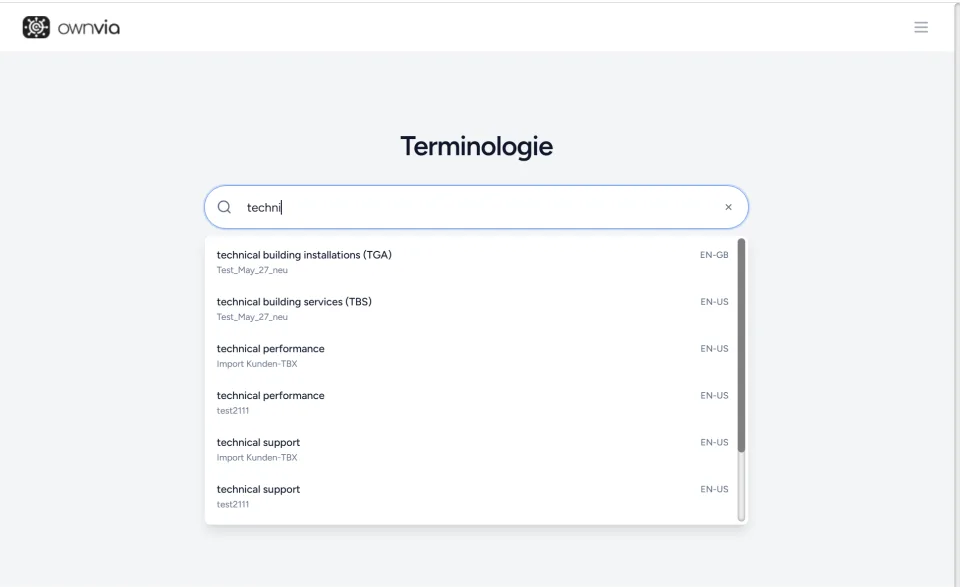
Select a suggested term to display the relevant search results.
Use Search in to limit the search to specific glossaries.
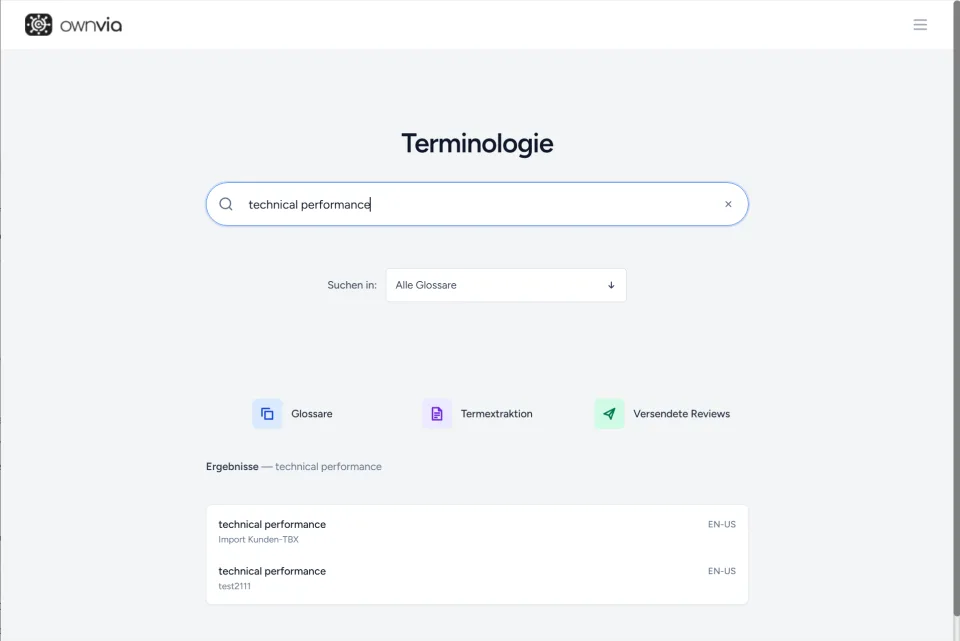
Click a search result to open the terminology entry with its translations and additional information.
Note: The search can include multiple glossaries at the same time. Use Open in glossary to go directly to the associated glossary.