
If you have forgotten your password, you can reset it at any time via the ownvia login page.
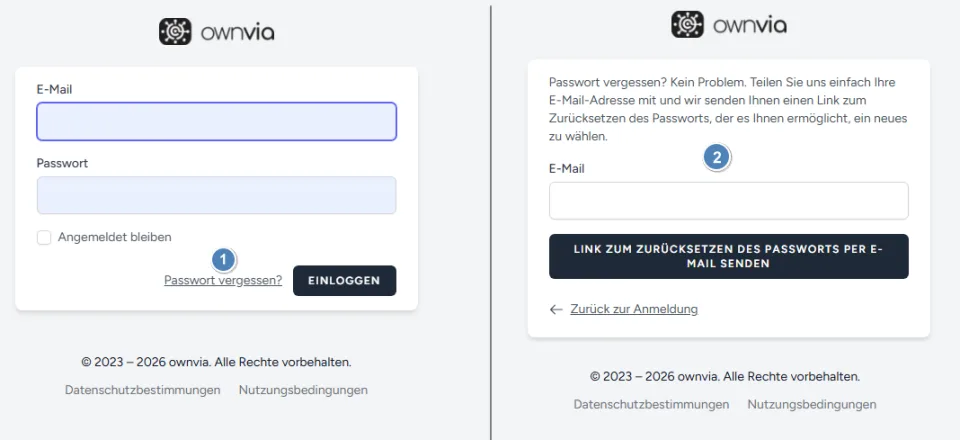
Open your organisation's login page and click Forgotten your password?
Enter your registered email address and click Send password reset link by email.
Open the email you received and follow the link.
Set a new password.
You can then sign in to ownvia using your new password.
Note: If you do not receive an email, please check your spam folder. If you continue to experience problems, contact your administrator.