
You can change your password at any time via your user profile in ownvia.
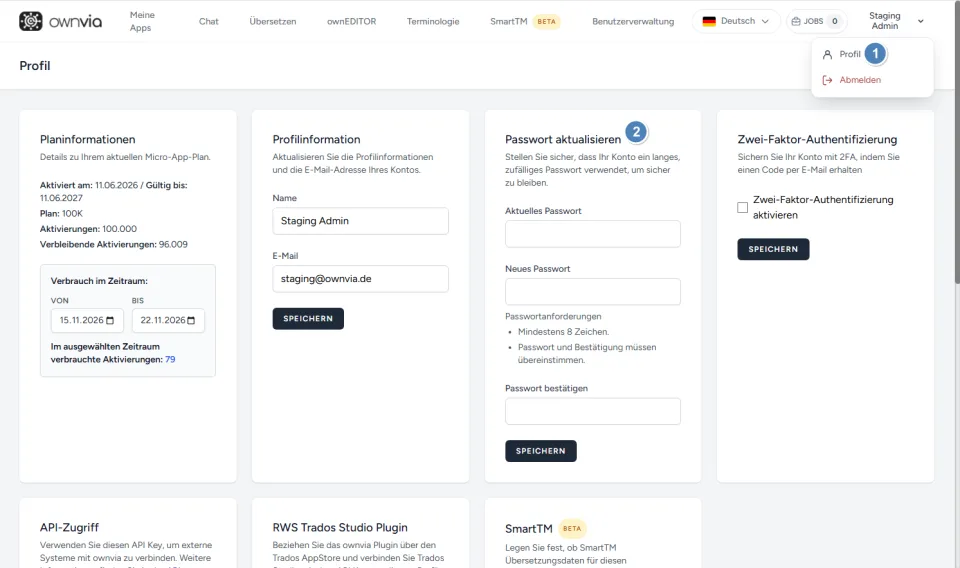
Click your username in the top right and select Profile.
Look for the Update password section.
Enter your current password.
Enter your new password and repeat it under Confirm password.
Click on Save.
Note: The new password must contain at least 8 characters. The two entries for the new password must match.