You can log out of ownvia at any time via your user profile.
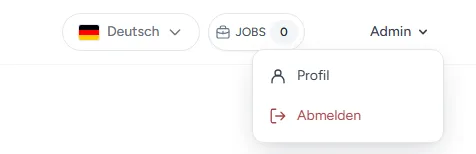
Click your username in the top right.
Select Log out from the menu that opens.
You will be logged out automatically and redirected to the login page.

ownvia · Help Center
Find out how to quickly and easily log out of ownvia via your user profile.
You can log out of ownvia at any time via your user profile.
Click your username in the top right.
Select Log out from the menu that opens.
You will be logged out automatically and redirected to the login page.
Find out how to log in to ownvia using your email address and password.
Getting Started & AccountFind out how to reset your forgotten ownvia password in just a few steps and regain access to your account.
Getting Started & AccountFind out how to change your ownvia password via your user profile and which password requirements apply.
Getting Started & AccountFind out how to activate two-factor authentication in ownvia and protect your account with an additional verification code.